 By simon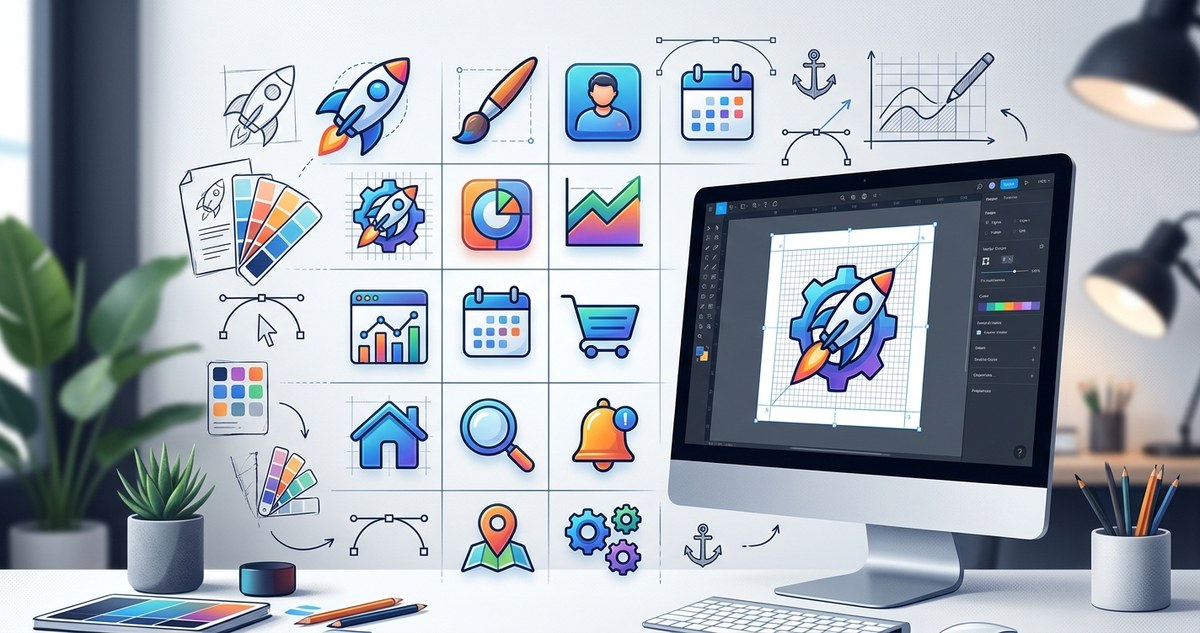
Designing web icons might seem straightforward at first glance, but creating icons that are both visually appealing and functional requires thoughtful planning and craftsmanship. Custom web icons serve as vital visual cues that guide users through your website, making navigation intuitive and engaging. If you want your icons to stand out while maintaining consistency with your brand, mastering certain design principles and techniques is key. Let’s walk through some essential tips to elevate your icon creation process and craft icons that truly resonate.
Creating effective custom web icons involves understanding design fundamentals, maintaining consistency, and paying attention to details like size and style. By following structured processes and avoiding common pitfalls, you can craft icons that boost usability and reinforce your brand identity effortlessly.
Understand the core purpose of your icons
Before picking up your design tools, clarify what each icon needs to communicate. Icons should serve as visual shortcuts that instantly convey their function. For example, a shopping cart icon should unmistakably signal e-commerce, while a user profile icon indicates account settings. When designing for a website, always aim for clarity and simplicity. Remember, icons are part of the interface language, so they must be immediately recognizable and universally understood.
Follow a practical process for designing custom web icons
To build icons that are both attractive and functional, follow a consistent workflow. Here are three steps to guide your process:
-
Research and gather inspiration: Look at similar icons in your niche or industry. Notice what works and what doesn’t. Use platforms like Flaticon or Iconfinder for ideas, but aim to develop a unique style that aligns with your brand.
-
Sketch and conceptualize: Draw rough sketches on paper or digital tools. Focus on the core shapes and avoid unnecessary details. Sketching helps you visualize how the icon will look at different sizes and how well it communicates its purpose.
-
Refine and digitize: Use vector editing software like Adobe Illustrator or free options such as Inkscape. Create clean, scalable shapes. Test the icon at various sizes to ensure it remains clear. Pay attention to the balance between detail and simplicity.
Embrace design consistency and style choices
Consistency is crucial when developing a set of icons. Choose a style that fits your website’s overall aesthetic. Common styles include flat, line, filled, and isometric. Each has its own impact and use case:
- Flat icons are minimalistic and modern.
- Line icons emphasize outlines and are great for a sleek look.
- Filled icons provide boldness and clarity.
- Isometric icons add a three-dimensional feel.
Make sure all icons in a set follow the same stroke width, corner radius, and color palette. This uniformity helps users recognize patterns and navigate your site effortlessly.
“A cohesive icon set not only improves visual harmony but also reinforces your brand identity,” says design expert Jane Doe. “Consistency in style and size ensures users focus on content rather than confusing visuals.”
Master size and grid systems
Icons must be legible across various devices and screen sizes. Use a grid system to align and size your icons precisely. A common practice is to design icons within a 24×24 or 32×32 pixel grid. This standard provides a good balance between detail and simplicity.
- Size tips:
- Keep icons between 16px to 48px for most UI uses.
- Avoid overly detailed icons at small sizes.
- Leave enough padding around icons to prevent clutter.
| Technique | Benefit | Common Mistakes |
|---|---|---|
| Using a grid | Ensures alignment and consistency | Ignoring pixel alignment causes blurry edges |
| Uniform stroke width | Maintains visual harmony | Varying line thickness creates inconsistency |
| Adequate padding | Improves clarity | Crowded icons look cluttered and confusing |
Pay attention to color and contrast
Colors should align with your branding palette. Use high contrast to improve visibility, especially for icons placed on colored backgrounds. Limit your color palette to two or three shades for simplicity.
- Use color to indicate states, such as active, disabled, or hover.
- Keep accessibility in mind; ensure sufficient contrast ratios for users with visual impairments.
Avoid common pitfalls in icon design
| Mistake | Consequence | How to avoid it |
|---|---|---|
| Overcomplicating details | Loss of clarity at small sizes | Simplify shapes and remove unnecessary details |
| Inconsistent style | Disjointed appearance | Stick to a single style and set of rules |
| Ignoring scalability | Blurry or pixelated icons | Always create vector icons that scale smoothly |
| Using too many colors | Visual noise | Limit your palette and use colors purposefully |
Tips from the pros for creating icons that work
“Always test your icons across different devices and sizes,” recommends experienced designer Mark Lee. “What looks good on a large screen might lose detail or become unrecognizable on a mobile device.” Testing helps you catch issues early and refine your designs for maximum clarity.
The key to successful icon design lies in understanding your audience and the context of use. Keep your icons simple, consistent, and aligned with your overall design language. Use vector tools to ensure they scale seamlessly and test them in different environments to ensure usability.
Final thoughts on mastering custom web icon design
Creating custom web icons is more than just drawing shapes. It involves strategic thinking about usability, style, and size. By following a structured process, paying attention to details like grid alignment and color contrast, and staying consistent across your set, you can craft icons that elevate your website’s user experience. Remember to test your icons on various devices and gather feedback from users to make improvements.
Designing icons is a skill that improves with practice. Use these tips as a foundation, and don’t be afraid to experiment with styles and techniques. Your icons can become powerful visual tools that not only guide users but also strengthen your brand identity.
Keep your icon game sharp and your website user-friendly
By focusing on clarity, consistency, and simplicity, you can create icons that are both beautiful and functional. Take time to plan your designs carefully, utilize grid systems, and test thoroughly. With patience and practice, your icon set will become a seamless part of your website’s visual language that enhances user engagement and trust.