 By simon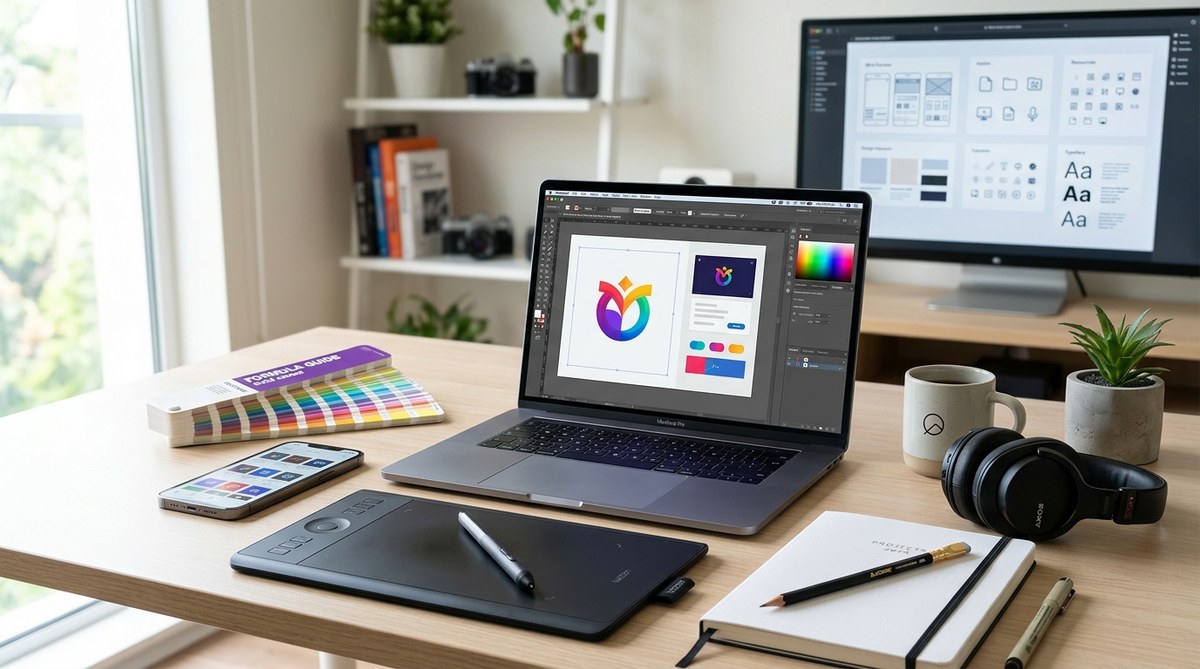
Graphic design in 2024 is a fast-paced field that demands the right tools to stay ahead. Whether you’re just starting out or have years of experience, having the latest and most effective tools can make a real difference. From powerful software to smart hardware, the right setup helps you bring your ideas to life with clarity and efficiency. Let’s explore the essential graphic design tools for 2024 that every designer should consider.
Staying updated with the latest graphic design tools in 2024 boosts creativity, streamlines workflow, and helps you deliver top-quality projects. From software to hardware, knowing what to use is key to thriving in today’s design world.
The Software Corner: Top Programs for Modern Designers
The backbone of digital design is software that unlocks your creative potential. In 2024, some programs stand out because of their versatility, user-friendliness, and integration capabilities.
1. Adobe Creative Cloud
Adobe remains a staple for graphic designers. Its suite includes Photoshop for editing images, Illustrator for vector work, and InDesign for layouts. Adobe continues to add features that make collaboration easier, especially with cloud storage options. For those who want an all-in-one package, Adobe Creative Cloud is still the top choice.
2. Figma
Figma has revolutionized collaborative design. Its cloud-based platform allows teams to work together seamlessly, whether you are creating prototypes or wireframes. Its real-time editing makes it ideal for remote teams or freelancers working with clients.
3. Affinity Designer
For designers looking for a cost-effective alternative to Adobe, Affinity Designer offers powerful vector and raster tools. Its user interface is intuitive, making it perfect for both beginners and pros wanting a smooth workflow without the subscription model.
4. Canva
Designers who need to make quick social media graphics or marketing materials will find Canva’s user-friendly interface invaluable. Its templates and drag-and-drop features speed up production while still offering professional-looking results.
5. Procreate
Procreate remains a favorite for digital artists. Its natural brush engine and intuitive interface make it perfect for sketching, illustrating, and concept art on iPads. It’s a must-have for mobile creative workflows.
Hardware Essentials for a Creative Workspace
Powerful hardware can significantly improve your design process. In 2024, investing in the right equipment pays off in speed, accuracy, and comfort.
1. High-Resolution Monitors
A large, high-definition monitor is essential for detailed work. Look for displays with accurate color reproduction and wide color gamuts. Many designers prefer 4K or even 5K screens to see every detail.
2. Graphics Tablets and Pen Displays
A dedicated drawing tablet like a Wacom Cintiq or a Huion Kamvas can boost your precision. These devices allow you to draw directly onto the screen, making digital illustrations more natural.
3. Powerful Computers
Whether you prefer a Mac or a Windows PC, your machine should handle demanding software smoothly. Consider the latest MacBook Pro or a high-end custom-built PC with a fast processor, ample RAM, and a dedicated graphics card.
4. External Storage and Backup Devices
Backing up your work is crucial. Use external SSDs for fast access and reliable storage. Cloud backup solutions add an extra layer of security.
5. Ergonomic Furniture
Designing comfortably for hours is vital. An adjustable chair, a standing desk, and proper lighting help prevent fatigue and injuries.
Resources and Learning Tools to Stay Ahead
Keeping your skills sharp requires continuous learning. Consider these resources:
- Online tutorials on platforms like Skillshare or LinkedIn Learning
- Design blogs such as Creative Bloq
- Community forums like Reddit or Behance
Practical Process for Upgrading Your Toolkit
- Assess your current setup to identify gaps or outdated tools.
- Research new software and hardware that align with your projects and budget.
- Try demos or free trials before making a purchase.
- Invest in proven tools that streamline your workflow.
- Continuously learn new techniques and features to maximize your tools’ potential.
Common Mistakes to Avoid When Choosing Tools
| Technique | Mistake to Avoid |
|---|---|
| Over-relying on one software | Limiting creativity and flexibility |
| Ignoring color accuracy | Producing work that looks different on other screens |
| Skimping on hardware | Sacrificing speed and efficiency |
| Not updating tools regularly | Missing out on new features and security improvements |
| Ignoring ergonomic setups | Causing discomfort or injury over time |
An expert from a leading design agency advises, “Investing in the right tools is like choosing the perfect brushes for a painter. It enables you to realize your vision without unnecessary frustration.”
Staying Ahead with the Latest Trends and Tools
Staying updated keeps your work fresh and competitive. In 2024, a focus on AI-assisted design tools, augmented reality features, and cloud collaboration continues to grow. Learning about new tools like the latest versions of Adobe Express or Canva’s advanced features can give you an edge.
Final Words for Future-Proofing Your Design Practice
The landscape of graphic design keeps shifting. Embracing the latest tools in 2024 will help you work smarter, faster, and more creatively. Focus on acquiring versatile software, reliable hardware, and ongoing education. Remember, the best tools are the ones that serve your unique workflow and inspire your creativity.
Stay curious, keep experimenting, and let your tools elevate your work in the year ahead.