 By simon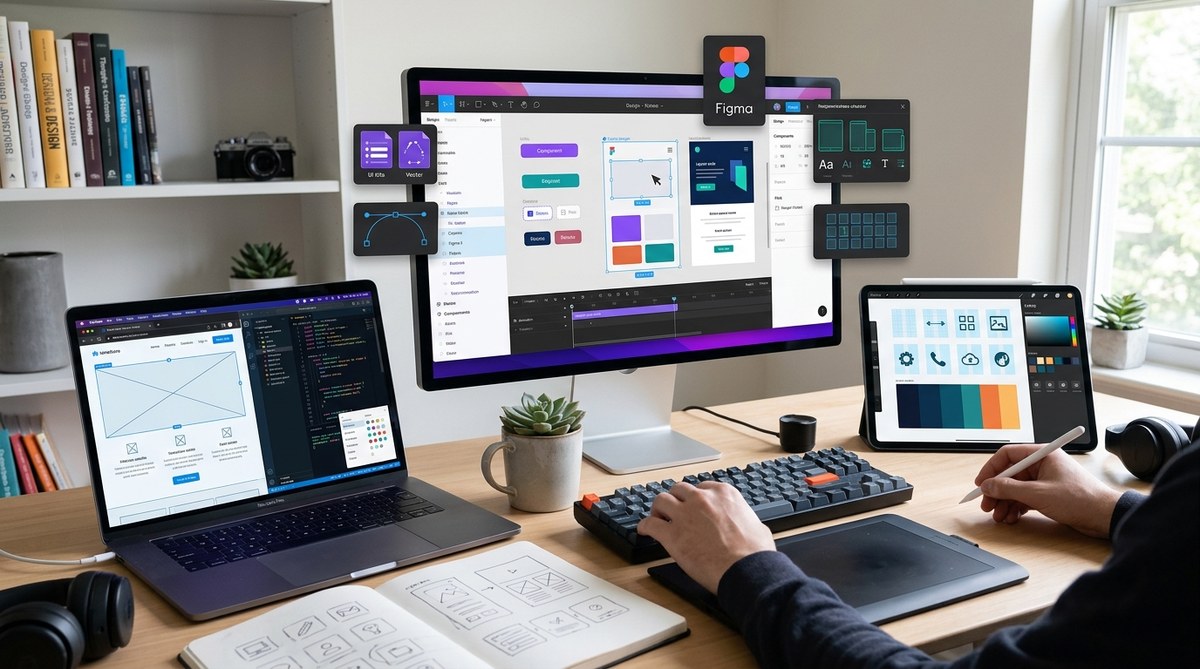
The web design landscape in 2026 moves fast. New tools pop up weekly, and old favorites get major updates. If you want to stay ahead without wasting time on every shiny new app, you need a curated list of tools that actually deliver. That is exactly what we have put together for you. We have tested dozens of platforms, spoken to working designers, and narrowed down the ones that genuinely improve your workflow and output. Whether you are a solo freelancer or part of a big agency, these picks will help you build better sites faster.
This guide breaks down the essential web design tools for 2026. Whether you need AI powered mockups, collaborative prototyping, precise vector editing, or streamlined project management, we selected the best options for different design workflows. Each tool was tested for its fit with current trends and practical use. Use this as a starting point to build your own toolkit and create modern, engaging websites without the fluff.
AI Powered Tools That Do the Heavy Lifting
Artificial intelligence is no longer a gimmick in design. In 2026, it is a core part of how many professionals start their projects. The trick is to use AI where it helps most: generating layouts, suggesting color palettes, and converting designs into code. Here are two standout examples.
Galileo AI for High Fidelity Mockups
Galileo AI lets you describe a page in plain English and get a detailed, editable UI back. It works especially well for landing pages and dashboards. You can refine the output with further prompts, making it a solid partner for early ideation. If you pair it with a tool like Figma for final polish, you save hours per project. For inspiration on how to choose color schemes, see our guide on
Uizard for Speedy Prototyping
Uizard turns hand drawn wireframes or screenshots into digital prototypes. It also offers AI based design generation from text. This tool shines when you need to test multiple layouts quickly with clients. The learning curve is low, so you can show workable concepts within minutes.
Collaborative Platforms That Keep Teams in Sync
Design is rarely a solo act anymore. Clients, developers, and stakeholders all need to see the work as it evolves. These tools make that collaboration smooth.
Figma: Still the Team Standard
Figma remains a leader for interface design in 2026. Real time collaboration, component libraries, and plugin ecosystem make it indispensable. New features include advanced AI auto layout suggestions and better offline support. If you work with developers, Figma’s Dev Mode helps them inspect specs without extra tools.
Sketch: A Strong Alternative for Mac Users
Sketch has modernized its workflow with cloud based sharing and a robust plugin library. It is especially popular among designers who prefer a native Mac app over a browser environment. The latest version includes improved symbol management and a refreshed prototyping mode.
Visual Design and Asset Creation
Good web design needs more than layout. Icons, illustrations, and fonts define the brand feel. These tools help you create and manage those assets efficiently.
Adobe Firefly for Generative Assets
Adobe Firefly integrates directly into Photoshop and Illustrator. You can generate custom illustrations, textures, and even 3D objects from text prompts. The results are production ready and respect trademarked styles. This is a huge time saver when you need unique visuals on a deadline.
Canva for Rapid Visuals
Canva has grown beyond basic social media graphics. Its 2026 version includes a full blown website editor, brand kits, and AI image generation. It is not a replacement for professional design tools, but it is perfect for mood boards, presentation decks, and client proofs.
To learn more about font selection, read our resource on
Design to Code and Development Tools
The gap between design and development keeps shrinking. These tools help you hand off work that developers love to receive.
Locofy for Converting Figma to Code
Locofy turns your Figma designs into clean React, Vue, or HTML/CSS code. It preserves layout, spacing, and even responsive behavior. You can export with confidence knowing the code is readable and customizable. It is a must have for any designer who works closely with front end developers.
Webflow: Visual Development Without Compromise
Webflow lets you build responsive, production ready sites visually while generating clean code behind the scenes. In 2026 it added better CMS capabilities and deeper integrations with external APIs. It is perfect for designers who want to own the full build process.
How to Choose the Right Tool for Your Workflow
Picking the right tool depends on your project type, team size, and personal preference. Use this simple process:
- List the tasks you do most often. Is it wireframing, visual design, prototyping, or handoff?
- Identify pain points. Where do you lose the most time right now?
- Match tools to those tasks using the comparison below.
- Try one new tool at a time. Do not adopt everything at once.
- Set a two week trial period. If the tool does not save you at least an hour per week, drop it.
| Task | Recommended Tool | AI Integration | Best For |
|---|---|---|---|
| UI Design | Figma | Strong | Teams and complex interfaces |
| Prototyping | Uizard | Moderate | Rapid iteration |
| Asset Generation | Adobe Firefly | Strong | Unique visuals |
| Code Conversion | Locofy | Moderate | Dev handoff |
| Full Site Build | Webflow | Moderate | Designers who code |
“I used to spend three days perfecting a mockup. Now I spend three hours with AI tools and the rest refining details. The key is knowing when to let the machine run and when to take over.” – Jenna L., senior UX designer at a SaaS company.
Common Mistakes When Adopting New Design Tools
Even the best tools can slow you down if you use them wrong. Watch out for these pitfalls:
- Trying to learn every feature at once. Focus on the 20% that gives you 80% of the value.
- Ignoring your existing workflow. A new tool should slot in, not force you to change how you work.
- Skipping collaboration features. Even if you work alone, sharing and version history matter.
- Over relying on AI generation. Always review and adjust outputs to match brand standards.
For more on creating inclusive designs, check out our guide on
The Tools That Keep You Ahead in 2026
The right tools do not just make you faster. They give you room to focus on the creative decisions that actually move the needle. Start with one or two from this list, integrate them into your next project, and see how your process improves. The designers who thrive in 2026 are the ones who adopt new tech without losing their human touch. Pick your next tool, open a new file, and build something that matters.